
Cybersecurity Basics Every Small Business Should Know
Small businesses rely on technology more than ever before. From email and cloud-based applications to online payments and remote work, these digital tools have made it possible for small businesses to compete in larger markets, improve efficiency, and better serve customers. However, these same tools also create opportunities for cybercriminals. In fact, a Cyber Security 2026 report found:
- an 18% increase in cyberattacks,
- 82% of malicious file attacks delivered over email,
- a 48% increase in ransomware activity, and
- a whopping 90% of organizations that have been impacted by risky AI prompts
The numbers don’t lie, as we live in an age where cybersecurity is no longer optional, it’s essential, with a Microsoft Digital Defense Report finding that 600 million cyberattacks occur per day around the globe. And, contrary to popular belief, small businesses are not “too small” to be targeted. That is why this month’s blog is so important.
Our experts reviewed numerous government documents and information from IT experts to come up with ten cybersecurity basics every small business should know to protect their company from cybercriminals:
- Train Employees to Become Your First Line of Defense
- Use Strong Passwords and Password Managers
- Enable Multi-Factor Authentication (MFA)
- Keep Software and Systems Updated
- Protect Your Network with Firewalls
- Secure Your Wireless Network
- Back Up Critical Business Data
- Create a Mobile Device Security Plan
- Limit Access to Sensitive Data
- Prepare for Phishing Attacks
First, why is cybersecurity essential for small businesses?
Why Cybersecurity is Essential for Small Businesses
Cybercrime is no longer a problem reserved for large corporations, as small businesses are often targeted due to their lack of resources. This could be having a weak (or no) multi-factor authentication, no dedicated Information Technology (IT) staff, or unpatched systems vulnerable to ransomware attacks.
Similar to larger corporations, small businesses handle sensitive customer information, payment data, employee records, financial documents, and proprietary business information. These everyday operations, coupled with a lack of cybersecurity resources, make them attractive targets for cybercriminals seeking financial gain or valuable data. Here are just a few things a successful cyberattack can result in:
- Financial losses
- Business interruption
- Data breaches
- Regulatory penalties
- Reputation damage
- Loss of customer trust
If your business uses computers, mobile devices, Wi-Fi, email, cloud storage, or accepts digital payments, cybersecurity must be part of your business operations. This is because most cyberattacks usually exploit simple flaws such as weak passwords, outdated software, unsecured Wi-Fi networks, or employees who unknowingly click on malicious links.
- Train Employees to Become Your First Line of Defense
Technology can certainly protect your organization, but even the best multi-factor authentication won’t deter an employee from opening a deadly phishing email. Employees remain both the greatest security asset and the greatest vulnerability since many cyberattacks happen do to human error. We suggest having quarterly meetings with your employees to ensure they never do the following:
- Open a phishing email
- Click a malicious link
- Download infected attachments
- Share sensitive information with the wrong person
- Use weak passwords
- Fall victim to social engineering scams
Cybersecurity awareness training should become part of every employee’s onboarding process and continue regularly throughout the year. That way they can know how to recognize phishing emails and verify suspicious requests.
AI had made this much more difficult since cybercriminals can use text and voice to manipulate who the message is from. For example, scams impersonating vendors or executives are quite common using AI.
Employees also need to know how to secure their devices while traveling, use strong passwords, and report any security incidents so that you are always protecting your customers’ sensitive information. Creating a culture of security awareness helps reduce risk across the entire organization. More on passwords below!
- Use Strong Passwords and Password Managers
Weak passwords remain one of the easiest ways for cybercriminals to gain access to business systems. In fact, a simple social media search can tell your employee’s life story – and the passwords they may be using – for criminals to take advantage of quickly. Some common mistakes employees make include:
- Reusing passwords across accounts
- Using simple or personally familiar passwords
- Sharing passwords among employees
- Storing passwords in unsecured documents
We discussed employee training above, so here are some best practices they can use to ensure their passwords are strong:
- Be at least 12 characters long
- Include uppercase and lowercase letters
- Contain numbers and symbols
- Be unique for every account
Businesses should also consider implementing password management tools that securely generate and store complex passwords. That way, password managers eliminate the need for employees to remember dozens of credentials while reducing the temptation to reuse passwords.
- Enable Multi-Factor Authentication (MFA)
We understand using multi-factor authentication (MFA) is annoying to you and your employees. MFA is a second layer of verification, typically a numerical code sent to a phone or generated by a MFA app. This means you need your phone on you at all times to verify you are indeed you when you log in, but it also makes it extremely difficult for unauthorized users to access your accounts.
We’ve heard the complaints about the annoyances of using MFA, yet even strong passwords can be stolen, guessed, or exposed in a data breach, which is why multi-factor authentication adds another layer of protection by requiring:
- Something you know (password)
- Something you have (mobile device or authentication app)
- Something you are (biometric verification)
With MFA enabled, a cybercriminal who obtains a password still cannot access the account without the second verification factor (which is essentially your physical cell phone). We suggest you enable MFA on each of the following applications for added protection from cybercriminals:
- Business email accounts
- Cloud storage platforms
- Financial systems
- Payroll systems
- Customer relationship management (CRM) software
- Administrative accounts
For most organizations, MFA is one of the fastest and most effective ways to improve security.
- Keep Software and Systems Updated
When was the last time your software and systems updated? If you aren’t sure, your outdated software may be one of the most common vulnerabilities exploited by attackers. Software updates often contain security patches that stop any known vulnerabilities. So, when you skip an update, you are leaving your systems exposed to threats that could have been easily identified and addressed.
Software vendors regularly release updates that fix bugs, improve functionality, and patch security vulnerabilities. This means any delay in software and system updates will create easy opportunities for cybercriminals to exploit these already known weaknesses.
Here is a list of what we suggest you update regularly and keep current versions of:
- Operating systems
- Web browsers
- Antivirus software
- Business applications
- Website software and plugins
- Mobile devices
You really don’t have to worry about these issues if you simply enable automatic updates to ensure critical patches are installed promptly. That way, your software and systems can update automatically and protect your company’s and customers’ critical data 24/7.
- Protect Your Network with Firewalls
There are numerous low-cost and even free firewall software on the market today that act as a barrier between your internal network and external threats. Firewalls monitor incoming and outgoing traffic and can help prevent unauthorized access to business systems. Here are some firewall recommendations:
- Enable built-in firewall protection on all devices
- Use business-grade firewall solutions when possible
- Secure remote employee connections
- Regularly review firewall settings
Since so many employees work remotely today, you will also need to ensure they have properly configured firewalls on their home devices that are used for business purposes.

- Secure Your Wireless Network
Most companies today have a Wi-Fi network, and an unsecured Wi-Fi network can provide cybercriminals with a direct pathway into your business environment. If you set up your wireless access point or router so that it doesn’t broadcast the network name, you can hide your Wi-Fi network (also known as the Service Set Identifier or SSID). Some other best practices for Wi-Fi security include the following:
- Use WPA2 or WPA3 encryption
- Change default router usernames and passwords
- Disable unnecessary remote management features
- Keep router firmware updated
- Use a strong Wi-Fi password
- Separate guest Wi-Fi from business systems
Businesses that secure their wireless infrastructure significantly reduce exposure to cyber threats.
- Back Up Critical Business Data
Can you imagine losing all your customer contacts, your order history, or even your inventory records? Data loss can occur for many reasons and at the worst possible time, yet a reliable backup plan can protect your critical business data from the following:
- Ransomware attacks
- Hardware failures
- Human error
- Natural disasters
- Software corruption
Ransomware attacks in particular can encrypt business files and demand payment to restore access, and a single ransomware infection can disrupt operations for days or weeks. The ability to restore data from backups is often the most effective recovery strategy after a ransomware incident.
Without reliable backups, recovering from these events may be impossible and can even bring your operations to a halt. By implementing an automated backup solution that regularly copies your critical business data to a secure, offsite location (ideally using a cloud-based function), you can securely back up the following:
- Customer records
- Financial documents
- Payroll files
- Contracts
- Databases
- Inventory information
- Employee records
You should make sure backups are tested periodically to ensure their restoration procedures are reliable and do the following:
- Automate backups whenever possible
- Store copies offsite or in the cloud
- Maintain multiple backup versions
- Keep at least one backup isolated from your network
Remember that an untested backup is not a backup you can depend on to protect your company from a catastrophic loss.
- Create a Mobile Device Security Plan
The Federal Communications Commission (FCC) released a one-page Cybersecurity Tip Sheet that highlights tips on creating a mobile device security plan. Mobile devices have become essential business tools, which means they also create new security risks and challenges. This is because smartphones and tablets often contain customer contact information, business emails, access to credentials, and sensitive financial information all in one place.
You can ensure your employee’s mobile devices are secure by taking the following steps:
- Requiring passwords or biometrics
- Enabling encryption
- Installing security software
- Updating operating systems regularly
- Disabling automatic public Wi-Fi connections
- Establishing procedures for lost or stolen devices
Businesses should also have a documented process for reporting and responding to missing devices. That way, both you and your employees are protected if mobile devices are lost or stolen.
- Limit Access to Sensitive Data
Not every employee needs access to every system, and you should never allow one employee to have access to everything. In fact, there is a principle known as “least privilege,” which recommends giving users only the access required to perform their jobs. That way, administrative privileges are only given to the most trusted IT staff and key personnel.
Here are some common tips for limiting access to sensitive data:
- Create separate user accounts for each employee
- Restrict access based on job responsibilities
- Remove access promptly when employees leave
- Limit administrative privileges
- Review user permissions regularly
If you work with outside vendors that handle sensitive data, you will need to ensure they are using multi-factor authentication (discussed above) for your accounts or limit their access as well. Since many businesses rely on external vendors for accounting, payroll, cloud services, and IT support, a security weakness with a vendor can become a problem for your entire organization. Reducing unnecessary access limits the damage that can result from compromised accounts.
- Prepare for Phishing Attacks
Last but certainly not least, you should also be prepared for phishing attacks, as phishing remains one of the most common and successful cyberattack methods today. Have you been contacted by a co-worker asking you to urgently buy Google gift cards? Maybe they want you to click a link for important information or share financial information. These are very common phishing attempts and still work on unsuspecting recipients today.
Phishing is when an attacker sends a well-crafted email that appears to be legitimate to trick the recipient into:
- Clicking malicious links
- Downloading malware
- Providing passwords
- Sharing financial information
Even the most tech-savvy individuals could be tricked by a phishing attempt. In fact, between 80-95% of cyberattacks begin with phishing! Here are some warning signs you can communicate so that your employees know what to look for and avoid being scammed:
- Urgent requests
- Unexpected attachments
- Requests for passwords
- Suspicious sender information
- Poor grammar or unusual wording
- Payment change requests
You can verify any of the above requests with a simple phone call or separate email to prevent a costly mistake. You can further protect email using multi-factor authentication, spam filtering, and email authentication protocols, but that still won’t stop a human from clicking a malicious link. Employee training is key here to stop common phishing attacks (which is why it was our first tip!).
Have an Incident Response Plan
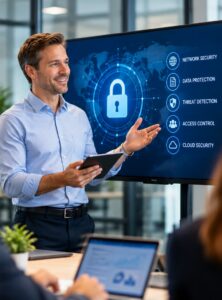
Even if you implement these ten cybersecurity basics, no business can completely eliminate risk. The businesses that recover quickly from a cyberattack are the ones that plan ahead and prepare in advance. Understanding how to contain a breach, who to contact internally during an incident, and how to notify customers will help you respond and recover quickly for a cyberattack.
Cybersecurity does not have to be complicated or expensive. Most successful attacks against small businesses exploit basic security weaknesses that can be addressed with practical, affordable measures. In addition, cybersecurity is an ongoing process of awareness, preparation, and continuous improvement. By building strong habits today, your small business can significantly reduce risk and confidently navigate the digital world now and in the future.
About Critical Connexion:
Critical Connexion is a distinguished business management & consulting firm that focuses on leveraging a foundation of leading finance, HR management, strategic sourcing, risk & operations experts to accelerate brand success for clients.
We specialize in navigating the evolving landscape of corporate growth by adeptly addressing changing systems, processes, and people requirements. Recognizing the substantial nature of technology and changing business needs, we ensure that these resources are directed with foresight and expertise. We are your extended partners for business growth, scaling seamlessly and brand elevation.
Contact Us:
Ph: 213-798-6676
Email: info@criticalconnexion.com